 PlainVoice
Lives in your menu bar or system tray
A quiet mic shifts state as you dictate, idle to listening to transcribing, from the macOS menu bar or the Windows system tray. No window to manage, no tab to keep open.
Private, on-device dictation for Mac and Windows
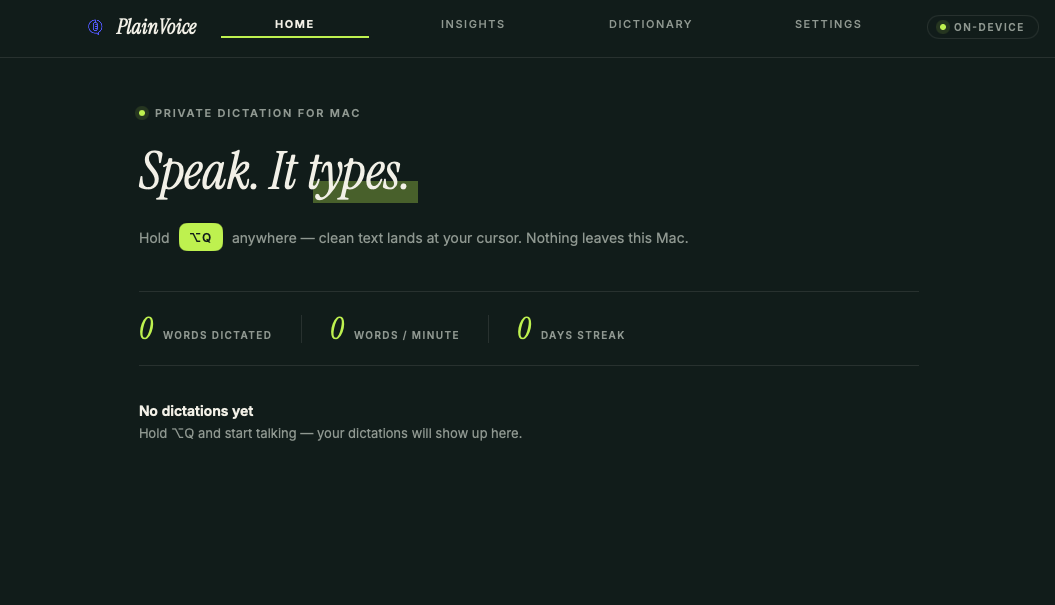
Hold your hotkey, speak, release. Clean text appears at your cursor, in any app. Fully on-device, no cloud, no per-word cost, works offline.
Free for your first 1,000 words. Launch week: a one-time €20 — €30 after. Never a subscription.
First 1,000 words free, no account needed. Then a one-time €20 this week — €30 after. Never a subscription.
Launching Sunday · 08:00 Amsterdam
Live now · launch-week pricing
It's here. Download below and try your first 1,000 words free.
Cloud speech-to-text uploads what you say, processes it remotely, and often bills you by the word. Your meetings, your messages, your half-formed ideas, all of it leaves your machine. PlainVoice does none of that.
Three steps
Hit your shortcut anywhere, on Mac or Windows. Hold to push-to-talk, or tap once to toggle it on and off.
Your voice is transcribed locally on your own machine. Nothing is uploaded, ever.
Clean text is pasted at your cursor, and your previous clipboard is put back exactly as it was.
The transcription model runs on your computer, so your audio never travels. It works on a plane, in a basement, or with the Wi-Fi off. There is no API meter running in the background, and your history stays in a local file you can clear whenever you like.
A quiet mic shifts state as you dictate, idle to listening to transcribing, from the macOS menu bar or the Windows system tray. No window to manage, no tab to keep open.
A draggable pill that snaps to any screen edge and expands when you need it.
Words per minute, total words, a streak, and a 14-day chart of your dictation.
Teach it exact spellings and spoken shortcuts, applied right after transcription.
Say “scratch that” or “no, I meant…” mid-sentence and PlainVoice corrects the words before they ever land — no backspacing.
Strip filler words, fix punctuation and casing, and keep a local-only history you control and can clear at any time.
Optional on-device translation lets you dictate in one language and get text in another. It runs locally, right on your computer, so it stays as private as the rest of PlainVoice.
Questions
PlainVoice is a private, on-device speech-to-text app for Mac and Windows. You hold a hotkey, speak, and clean text appears at your cursor in any app, with the transcription running entirely on your own machine.
PlainVoice goes live this Sunday for Mac, with Windows on the way. Leave your email and we'll send you the download the moment it's live — plus your €20 launch-week code. That's the only reason we'll write to you.
Download PlainVoice for Mac and dictate your first 1,000 words free — no account needed. Keep it for a one-time €20 this week, €30 after. Never a subscription.
Open PlainVoice.dmg and drag PlainVoice onto the Applications folder. The first time you open it, macOS says “Apple could not verify PlainVoice is free of malware.” That’s expected for a new independent app that isn’t notarized yet — it isn’t a real warning, and nothing you say ever leaves your Mac. Click Done, then open System Settings → Privacy & Security, scroll to Security, and click Open Anyway. You only do this once. (The same steps are in the Open me first note inside the download.)
On Windows? Leave your email and we'll tell you the moment the Windows version ships.